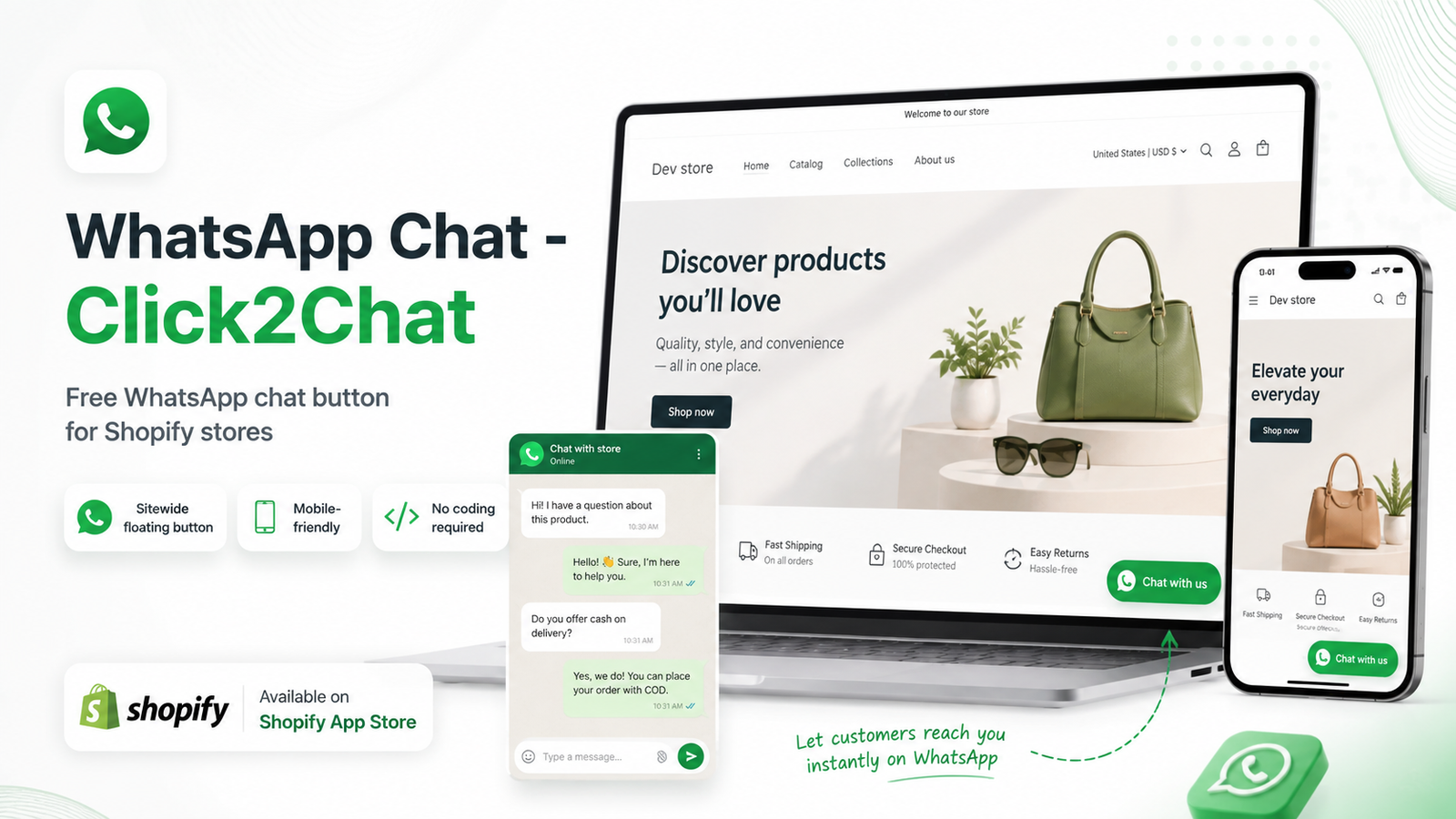
Make it easier for shoppers to contact your business while they browse your Shopify store.
WhatsApp Chat – Click2Chat is a simple, lightweight and completely free WhatsApp chat app for Shopify that adds a floating WhatsApp button to your storefront.
Customers can click the WhatsApp button while shopping and quickly start a conversation with your business whenever they have a question about a product, availability, delivery, sizing, customization or anything else that may be stopping them from placing an order.
- No complicated setup.
- No coding required.
- No monthly subscription.
Install WhatsApp Chat – Click2Chat Free on Shopify
Add WhatsApp Chat to Your Shopify Store
Customers often have questions while shopping online.
They may want to know:
- Whether a product is available
- Which size they should choose
- When an item can be delivered
- Whether you ship to their location
- Whether a product can be customized
- Which product is suitable for their needs
- What your return or exchange policy is
- Whether an item will work with something they already own
If shoppers cannot get an answer quickly, they may leave the store and continue shopping somewhere else.
Adding a WhatsApp chat button to your Shopify store gives customers a quick and familiar way to contact you directly while they are still considering the purchase.
WhatsApp Click2Chat was built for exactly this purpose.
What Is WhatsApp Chat – Click2Chat?
WhatsApp Chat – Click2Chat is a free Shopify WhatsApp chat button app that connects your Shopify storefront with WhatsApp.
Once enabled, a floating WhatsApp contact button appears on your store.
When a customer clicks the button, they can open WhatsApp and contact your business directly.
The app is intentionally simple.
It does not try to replace your entire customer support system.
It does not require merchants to learn another complicated dashboard.
It provides one useful feature:
A fast and easy way for Shopify customers to reach your business through WhatsApp while they shop.
View WhatsApp Chat – Click2Chat on the Shopify App Store
Why Use a WhatsApp Chat Button on Shopify?
Online shopping is convenient, but it removes the immediate interaction customers get in a physical retail store.
In a physical shop, a customer can simply ask:
“Do you have this in another size?”
“Can this arrive before the weekend?”
“Which model should I buy?”
Online, the same shopper may need to search product descriptions, FAQs, shipping pages and policies before getting an answer.
A Shopify WhatsApp chat button gives them another option.
Instead of leaving your website or searching for your contact details, they can contact your business directly from the storefront.
This can make your Shopify store easier to use and can help reduce unnecessary friction during the shopping journey.
Completely Free WhatsApp App for Shopify
WhatsApp Click2Chat is a free WhatsApp app for Shopify merchants.
There is no monthly subscription for using the app.
That makes it useful for:
- New Shopify stores
- Small businesses
- Independent merchants
- Growing ecommerce brands
- Local retailers
- Home-based businesses
- International sellers
- Stores already using WhatsApp for customer communication
Shopify merchants often pay monthly fees for several apps at the same time.
WhatsApp Click2Chat was designed to remain focused on one useful function rather than adding unnecessary features and additional costs.
If you simply need a free WhatsApp button for Shopify, Click2Chat provides a straightforward solution.
Sitewide WhatsApp Chat Button
WhatsApp Click2Chat can be enabled as a sitewide WhatsApp button through Shopify’s Theme Editor.
Once the app embed is enabled, the WhatsApp button can remain available while customers browse different parts of your store.
This can include:
- Homepage
- Product pages
- Collection pages
- Content pages
- Blog pages
- Other storefront pages
Customers can therefore contact your business without having to search for a dedicated Contact Us page.
A persistent WhatsApp chat widget for Shopify can be particularly useful because customer questions can happen anywhere during the buying journey.
WhatsApp Chat on Shopify Product Pages
Product pages are one of the most important places to give shoppers an easy contact option.
A customer may like a product but still have one unanswered question.
For example:
- Is this the correct size?
- Is another color available?
- Can this be customized?
- Is it currently in stock?
- How quickly can you ship it?
- Is this compatible with another product?
- Can I order a larger quantity?
- Which option would you recommend?
A visible WhatsApp button on Shopify product pages gives customers a convenient way to ask before deciding whether to purchase.
For stores selling products that require explanation, personalization, measurements, specifications or recommendations, direct communication can be especially valuable.
Mobile-Friendly WhatsApp Chat Button
Many customers shop from smartphones, making mobile usability important for ecommerce stores.
WhatsApp Click2Chat is designed to work across desktop and mobile storefronts.
Merchants can also choose to display a more compact WhatsApp icon on mobile devices.
This helps keep the storefront clean while still providing customers with easy access to WhatsApp.
If you are searching for a mobile WhatsApp chat button for Shopify, Click2Chat provides a simple way to add one without editing theme code.
Choose Where Your WhatsApp Button Appears
Different Shopify themes have different layouts.
WhatsApp Click2Chat allows merchants to choose the position of the floating WhatsApp button.
You can place it toward the:
- Bottom right
- Bottom left
This makes it easier to position the WhatsApp button around other storefront elements such as:
- Cookie banners
- Accessibility tools
- Loyalty widgets
- Sticky cart buttons
- Promotional popups
- Other floating elements
The goal is to provide convenient customer access without making the storefront unnecessarily cluttered.
Customize Your WhatsApp Button Text
Merchants can customize the text shown on the WhatsApp button.
For example:
Chat with us
or another message that suits the store.
This lets merchants keep the WhatsApp contact option consistent with the tone and presentation of their storefront.
No Coding Required
You do not need to edit Shopify Liquid files, JavaScript or CSS to install the WhatsApp button.
WhatsApp Click2Chat uses Shopify’s Theme Editor and app embed system.
The basic setup process is:
- Install WhatsApp Chat – Click2Chat
- Open the app from Shopify Admin
- Open the Shopify Theme Editor
- Enable the WhatsApp Chat sitewide app embed
- Enter your WhatsApp number
- Choose your button text
- Select the button position
- Save your Shopify theme
Your floating WhatsApp contact button is then available on the storefront.
For merchants looking for a no-code WhatsApp integration for Shopify, this makes setup simple.
Shopify WhatsApp Chat for Pre-Sales Questions
Customer support is not limited to problems after someone purchases.
Some of the most important customer conversations happen before the order is placed.
This is often called pre-sales support.
Typical pre-sales questions include:
- Is the product currently available?
- Which size should I order?
- Do you deliver internationally?
- Can you customize this item?
- Will it arrive before a particular date?
- Which product would you recommend?
- Do you offer wholesale quantities?
- Can this product be used for a particular purpose?
A WhatsApp customer support button for Shopify gives merchants another way to answer these questions while the shopper is still actively considering the purchase.
Reduce Shopping Friction With Faster Communication
Not every customer question requires a large help desk or chatbot.
Sometimes a shopper simply needs a quick answer from the business.
When an unanswered question prevents a visitor from continuing, that uncertainty creates friction.
WhatsApp Click2Chat gives merchants an additional communication channel that customers can use without searching around the store.
This can complement other conversion-focused elements such as:
- Product reviews
- Detailed product descriptions
- FAQs
- Size charts
- Shipping information
- Return policies
- Trust badges
- Secure checkout messaging
- Product comparison information
WhatsApp chat does not replace these elements.
Instead, it gives the customer somewhere to go when they still need clarification.
WhatsApp Chat for Small Businesses on Shopify
Small Shopify businesses often manage customer communication themselves.
They may not need a complicated help desk, multi-agent support platform or large customer service system.
For businesses already communicating with customers through WhatsApp, adding a Shopify WhatsApp contact button can be a practical solution.
WhatsApp Click2Chat can be useful for:
- Boutique Shopify stores
- Fashion stores
- Jewelry businesses
- Home decor stores
- Furniture stores
- Beauty brands
- Gift stores
- Custom-product businesses
- Made-to-order stores
- Electronics retailers
- Automotive accessory stores
- B2B Shopify stores
- Local retailers
- High-value product businesses
Any Shopify store where customers regularly ask questions before purchasing may benefit from making communication easier.
WhatsApp Chat vs Contact Forms
A traditional contact form may require the shopper to:
- Find the Contact Us page
- Enter their name
- Enter their email address
- Write a message
- Submit the form
- Wait for a response
WhatsApp creates a more conversational contact experience.
A shopper can click the WhatsApp chat button and continue through WhatsApp.
That does not mean you need to remove your contact page or email support.
A WhatsApp chat widget for Shopify can simply provide customers with another communication option.
Customers can then choose whichever contact method they prefer.
WhatsApp Chat vs Automated Chatbots
WhatsApp Click2Chat is not an automated AI chatbot.
The app is designed for merchants who want customers to communicate directly with them through WhatsApp.
This makes it different from automated customer-support tools.
If your business prefers personal conversations with shoppers and already uses WhatsApp, Click2Chat offers a simple way to make that communication channel visible on your Shopify storefront.
Lightweight Shopify WhatsApp Integration
Shopify stores can become overloaded with apps.
Large numbers of apps may increase:
- Monthly software costs
- Configuration complexity
- Dashboard clutter
- Store management workload
For many features, a focused app can be more practical than a large platform.
WhatsApp Click2Chat is intentionally lightweight.
Its primary purpose is simply to help merchants add WhatsApp chat to Shopify without unnecessary complexity.
Sometimes the most useful ecommerce tool is simply:
A WhatsApp button that works.
Can WhatsApp Chat Increase Shopify Conversions?
No Shopify app can guarantee more sales.
Conversion rates depend on many factors, including:
- Product demand
- Pricing
- Traffic quality
- Customer intent
- Product presentation
- Store design
- Shipping costs
- Brand credibility
- Marketing
- Checkout experience
However, unanswered questions can create friction.
If a customer wants to buy but has one question preventing them from continuing, giving them an easy way to contact your business may help resolve that concern.
For that reason, accessible customer communication can form part of a broader Shopify conversion rate optimization strategy.
At Ecommerce Storez, our focus is on improving the complete customer journey rather than relying on individual features or tools to produce results on their own.
Features of WhatsApp Chat – Click2Chat
WhatsApp Click2Chat includes the key functionality merchants need for a simple Shopify WhatsApp contact button:
Free Shopify WhatsApp App
Use the app without a monthly subscription.
Sitewide WhatsApp Button
Display your WhatsApp contact option throughout the Shopify storefront using the app embed.
Mobile Friendly
Provide customers with an accessible WhatsApp contact option across mobile and desktop storefronts.
Mobile Icon Option
Use a compact WhatsApp icon presentation on smaller screens.
Button Positioning
Choose whether the floating WhatsApp button appears toward the bottom left or bottom right.
Custom Button Text
Set the text displayed on your WhatsApp chat button.
Direct WhatsApp Contact
Customers clicking the button are directed toward WhatsApp to contact your business.
No Coding Required
Configure the app through Shopify without manually editing theme code.
Lightweight Setup
The app is focused specifically on providing a straightforward WhatsApp contact option.
How to Add WhatsApp to Shopify
If you are looking for how to add WhatsApp to Shopify, the process with Click2Chat is straightforward.
Step 1 – Install WhatsApp Click2Chat
Visit the Shopify App Store:
Install WhatsApp Chat – Click2Chat
Step 2 – Open the App
After installation, open WhatsApp Click2Chat from Shopify Admin.
Step 3 – Open Theme Editor
Use the app’s setup option to open Shopify’s Theme Editor.
Step 4 – Enable the App Embed
Turn on WhatsApp Chat (Sitewide).
Step 5 – Add Your WhatsApp Number
Enter the WhatsApp number customers should contact.
Step 6 – Customize the Button
Choose your preferred button text and position.
Step 7 – Save the Theme
Click Save.
The WhatsApp chat button can now appear on your Shopify storefront.
Who Is WhatsApp Click2Chat Best For?
WhatsApp Click2Chat may be a good choice if:
- You want a free WhatsApp app for Shopify
- You want to add a WhatsApp chat button to Shopify
- You already use WhatsApp for customer support
- You receive product questions before orders
- You want customers to contact you while shopping
- You want a sitewide WhatsApp button
- You prefer a simple app
- You do not need a large customer-service platform
- You want a mobile-friendly WhatsApp button
- You do not want to edit Shopify theme code
- You want to keep Shopify app costs under control
Why We Built WhatsApp Click2Chat
At Ecommerce Storez, we build and optimize Shopify stores and Shopify applications with a focus on practical ecommerce requirements.
Merchants do not always need complicated software.
Sometimes they simply need a small feature that solves a real customer-experience problem.
WhatsApp Click2Chat was built around that idea.
The app has one simple purpose:
Help customers reach a Shopify merchant quickly when they have a question or doubt while shopping.
It is deliberately straightforward, lightweight and free.
Frequently Asked Questions
Is WhatsApp Click2Chat free?
Yes. WhatsApp Chat – Click2Chat is available as a free Shopify app.
Is there a monthly subscription?
No monthly subscription is required for WhatsApp Click2Chat.
How do I add a WhatsApp button to Shopify?
Install WhatsApp Click2Chat, enable its sitewide app embed through Shopify’s Theme Editor, add your WhatsApp number, configure the button and save the theme.
Do I need coding knowledge?
No. The app is designed to be configured through Shopify without manually editing Liquid, CSS or JavaScript.
Can the WhatsApp button appear across my entire Shopify store?
Yes. The sitewide app embed is designed to provide the WhatsApp button throughout the storefront.
Does WhatsApp Click2Chat work on mobile?
Yes. The button supports mobile storefronts, including an option for a more compact WhatsApp icon presentation.
Can I choose where the WhatsApp button appears?
Yes. The app lets merchants choose the floating button position.
Can I customize the WhatsApp button text?
Yes. Merchants can customize the button text shown to shoppers.
What happens when someone clicks the WhatsApp button?
The shopper is directed toward WhatsApp so they can contact the merchant.
Does WhatsApp Click2Chat automatically answer customers?
No. WhatsApp Click2Chat is not an automated chatbot. It connects shoppers with the merchant through WhatsApp.
Is WhatsApp Click2Chat a WhatsApp marketing app?
The app is primarily designed as a storefront contact and customer communication tool. It is not intended as a bulk WhatsApp campaign or abandoned-cart automation platform.
Can I use it for product questions?
Yes. Product questions, sizing questions, availability enquiries, shipping questions and other pre-purchase questions are common use cases.
Can WhatsApp Click2Chat guarantee more sales?
No application can guarantee increased sales. The purpose of the app is to make it easier for shoppers to contact the merchant when they need assistance.
Add a Free WhatsApp Chat Button to Shopify Today
A shopper who has a question should not have to search through your entire website to find a way to contact you.
With WhatsApp Chat – Click2Chat, you can add a simple, visible and mobile-friendly WhatsApp chat button to your Shopify storefront.
The app is:
- Free.
- Simple to configure.
- No-code.
- Mobile friendly.
- Designed specifically for Shopify merchants.
- Give customers an easier way to reach your business while they shop
Install WhatsApp Chat – Click2Chat Free
Install WhatsApp Chat – Click2Chat from the Shopify App Store